
Help your team ask every patient, naturally.
Simple scripts, QR-code stands, postcards and ongoing coaching so asking for a review becomes part of every checkout, plus guidance for handling unhappy patients.
- 3,200+ practices
- Google Premier Partner
- For doctors, by doctors
Get a free 30-minute demo
Built around your practice. No obligation.You agree to be contacted about your demo. Privacy policy. No patient information, please.
Thanks. We got your request.
We will reach out shortly to set up your 30-minute demo.Prefer to talk now? Call (800) 416-5235.
Your front desk is your best review tool
Patients are most likely to leave a review when someone they just met asks in person. Coaching and simple materials make that easy every day.
- Simple scriptsShort, natural ways for staff to ask at checkout.
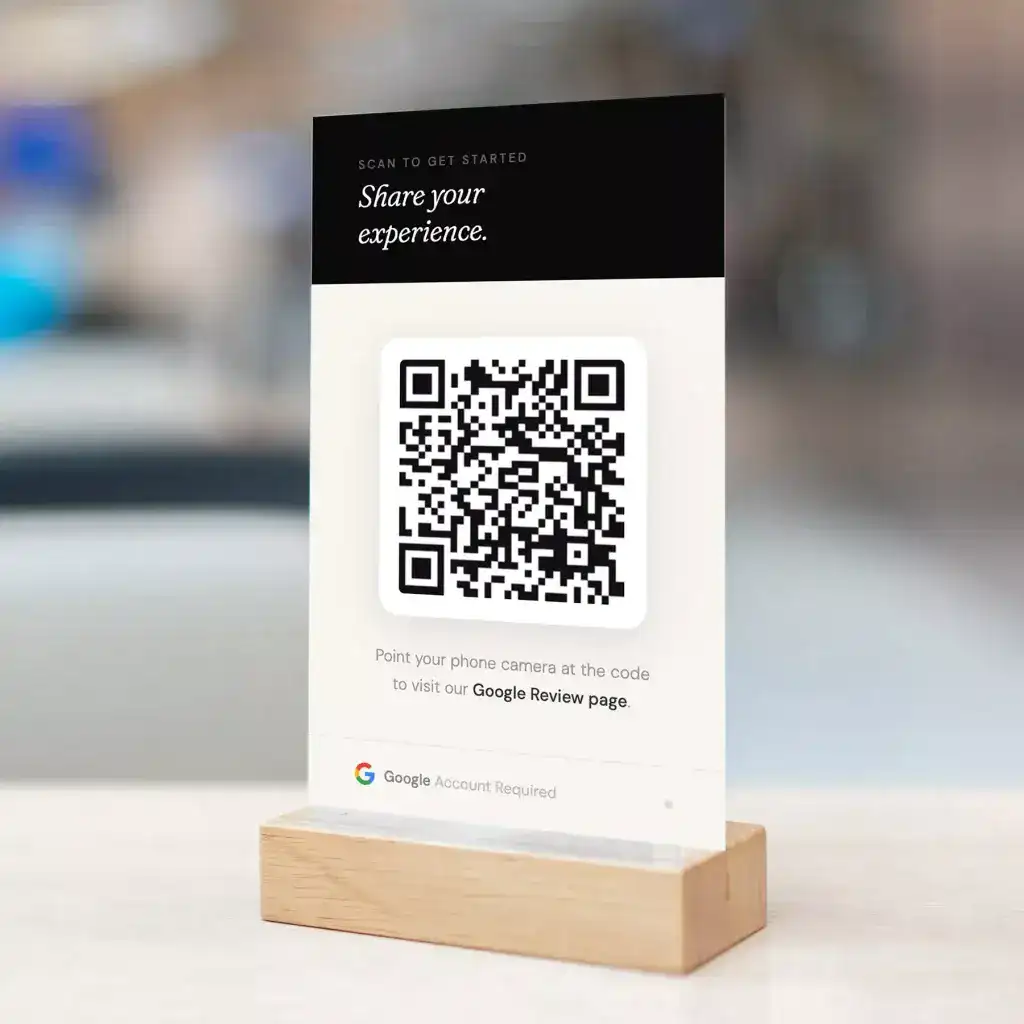
- QR codes and cardsDesk cards and signs that open the review page in one scan.
- Team resultsSee which locations and staff bring in the most reviews.
- Rule-safeNo incentives and no gating, in line with Google and FTC rules.
Everything your team needs to ask.
A few natural words that make asking easy.
Patients scan at checkout and review in seconds.
Branded review cards for the front desk.
Short sessions on when and how to ask.
How to calm an unhappy patient before they post.
See which team members and offices ask most.
Simple habits, more reviews.
- 01Train
A short session with your team, with scripts that fit your practice.
- 02Equip
QR stands, postcards and signage for the front desk.
- 03Coach
Regular tips based on your results.

Reviews for your specialty
Pick your practice type: where your patients leave reviews, the software we connect to, and your free audit.
Where dental patients leave reviews
- Yelp
- Healthgrades
- Zocdoc
Of people who use online reviews to find a new dentist, 81% use Google, 45% Yelp, 30% Facebook and 23% Healthgrades.Dandy Dental Study (Isurus Market Research), 2023
Works with your dental software
See all 75 dental integrations →Where medical patients leave reviews
- Healthgrades
- WebMD
- Vitals
- Zocdoc
52% of patients check WebMD and 27% check Healthgrades before choosing a provider.RepuGen Patient Review Survey, 2025
Works with your EHR or practice management software
See all 112 medical integrations →Where eye care patients leave reviews
- Healthgrades
- Zocdoc
- Yelp
Google is where 71% of people read reviews before choosing a local business.BrightLocal, 2026
Works with your eye care software
See all 6 eye care integrations →Where pet owners leave reviews
- Yelp
- Nextdoor
73% of pet owners in the UK and Australia check reviews most or every time before choosing a vet.Vetstoria pet owner research, Jan 2026
Works with your veterinary software
See all 31 veterinary integrations →Where chiropractic and PT patients leave reviews
- Healthgrades
- Yelp
- Zocdoc
90% of physical therapy patients were referred by a physician, and only 41% of people know they can see a PT directly.APTA Consumer Perceptions, Sep 2025
Works with your chiro or PT software
See all 18 chiro and PT integrations →Where therapy clients leave reviews
- Zocdoc
- Yelp
- Psychology Today (directory, no reviews)
Therapist ethics codes limit asking current clients for testimonials, so review requests are opt-in or turned off.APA 5.05 · ACA C.3.b · NASW 4.07b
Works with your practice software
See all 9 behavioral health integrations →Where hearing patients leave reviews
- Healthy Hearing
- Healthgrades
- Yelp
45% of people now use AI tools for local recommendations, and those answers draw on reviews.BrightLocal, 2026
Works with your audiology software
See all 5 audiology integrations →Where aesthetics patients leave reviews
- RealSelf
- Yelp
RealSelf ratings are moderated and doctors cannot pay to remove reviews, so a steady flow of new ones matters.RealSelf
Works with your aesthetics software
See all 5 aesthetics integrations →Review Coach questions
How should our front desk ask for a review?
Keep it short and genuine, for example: “We’re glad you had a good visit. Would you share it in a quick review? We’ll text you the link.” Then the automatic request follows.
Do patients actually leave reviews when asked?
Many do. In a 2025 rater8 survey, 74% of patients said they would be more inclined to leave a review if their provider asked.
Can we offer a discount or gift for a review?
No. The FTC’s 2024 rule bans rewards tied to a positive review, and Google’s policies prohibit incentives for reviews. Asking sincerely works best.
What should we do when a patient is unhappy?
Listen, apologize for their experience and offer to fix it in the office. Never pressure anyone to remove or change a review.
What in-office materials do you provide?
QR-code stands, review postcards and signage designed for your practice.